A simple global guide to “ID” in 2026
TL;DR:
- Digital ID means proving who you are online or in apps.
- Three pillars in 2026, wallets, passkeys, and mobile IDs.
- The EU approved a common wallet plan in 2024, rolling out now.
- NIST finalized new identity rules in July 2025.
- Use passkeys, strong recovery, and minimal data sharing.
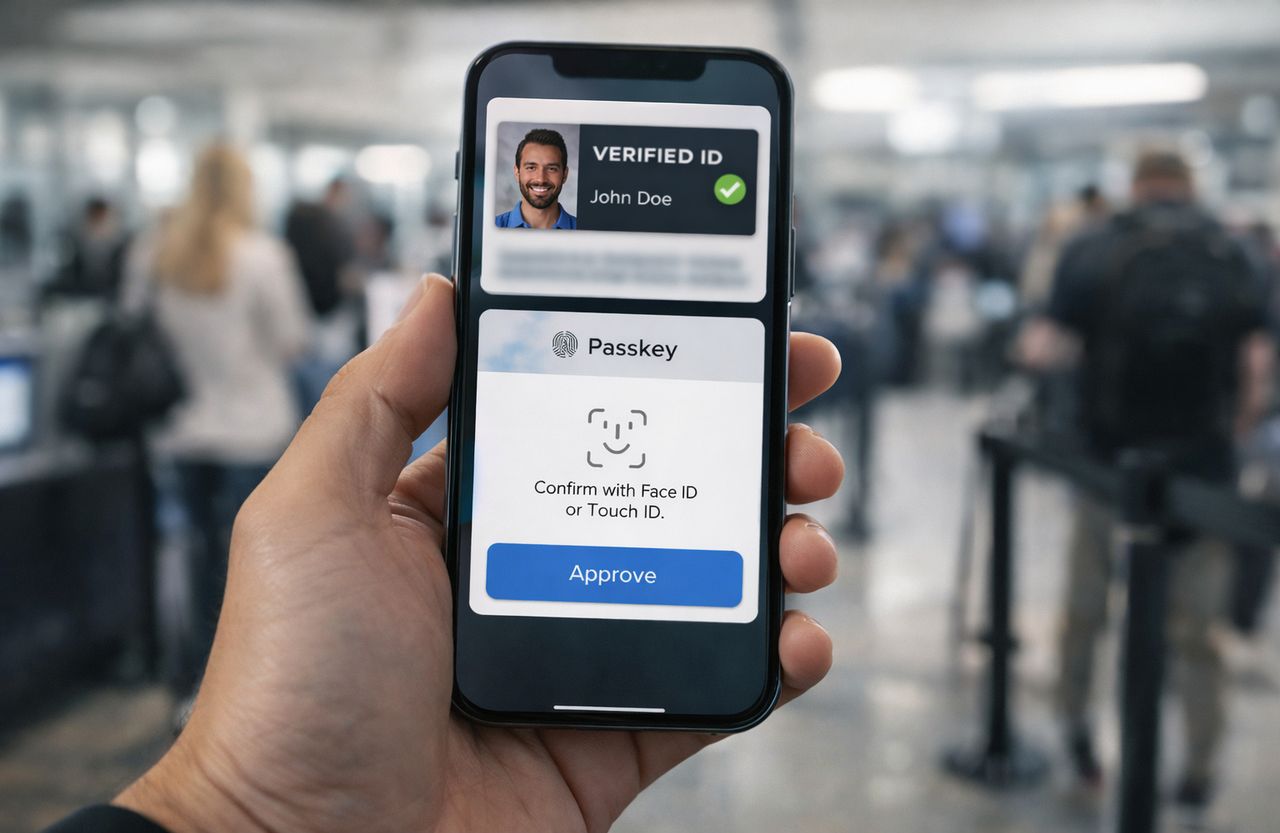
When people say “ID” now, they rarely mean only a plastic card. In 2026, your identity travels in apps and browsers. You use a digital wallet to share only what is needed. You log in with a passkey, not a password. In some places, you can show a mobile driver’s license at an airport or a store.
This guide explains what “ID” means today, how it works, and how to use it safely.
What “digital ID” covers
Digital ID is a way to prove you are you during a task. It could be opening a bank account, logging in to a website, or buying a SIM card. It links three things.
- Identity proofing. A check that ties a person to real world records.
- Authentication. A secure sign in, now often with passkeys.
- Credential presentation. Showing a claim, such as your age or name, often from a wallet.
NIST published the latest Digital Identity Guidelines in July 2025. These rules set assurance levels for proofing and authentication used by US federal systems and many private firms. The update highlights phishing resistant sign in, better privacy, and clear recovery steps.
In the EU, lawmakers adopted the legal base for a European Digital Identity Wallet on March 26, 2024, with Regulation (EU) 2024/1183 signed on May 20, 2024. The plan lets any EU resident prove things like age or diploma data across borders, with data sharing under the user’s control.
The building blocks in 2026
1) Passkeys replace passwords
Passkeys are built on FIDO standards. They use a key pair, a public key kept by the service and a private key on your device. You approve with a face scan, fingerprint, or PIN. No secret is typed, so phishing does not work the same way.
Apple, Google, and Microsoft support passkeys on major platforms. Large sites also support them, and adoption keeps rising. A 2025 industry index reported strong growth in passkey sign ins and business impact for brands that turned them on.
How to use passkeys well
- Turn on passkeys for your most valuable accounts first. Email, banking, shopping, and cloud storage.
- Sync passkeys across devices through your platform account or a password manager that supports them.
- Keep at least two recovery options. Another device, a hardware key, or a recovery code.
2) Digital identity wallets
A wallet is an app that stores credentials and lets you present only what a service needs. For example, you can share “over 18” without revealing your exact birth date. The EU wallet program aims to make this normal across member states, with audits and security rules. Many non EU projects mirror the same ideas, such as selective disclosure and signed credentials.
What a good wallet should give you:
- Clear consent before sharing any claim.
- Logs of what you shared and with whom.
- Local storage with hardware protections.
- Simple backup and restore.
3) Mobile driver’s licenses
Mobile driver’s licenses, or mDLs, follow ISO 18013 5. The standard covers how your phone and a verifier talk, what data is shown, and how to check that the issuer signed it. Many pilots began in the last few years, and more airports and agencies accept digital IDs as a companion to a physical card. Rollouts vary by country and state.
Where mDLs help
- Airport checkpoints that support digital ID.
- Age checks at stores.
- Car rentals and building access when partners support it.
You still need a physical passport for most border crossings. Treat mDLs as an add on, not a full replacement, unless your local rules say otherwise.
Quick table: ways to prove identity
| Method | What it is | Strengths | Limits | Best use in 2026 |
| Password + SMS code | Legacy login | Familiar, wide support | Phishing risk, SIM swap risk | Only where passkeys are not offered |
| Passkey | Device based key pair | Phishing resistant, fast | Needs device recovery plan | Daily logins for major services |
| Digital wallet credential | Signed claim in an app | Share only what is needed, private | Acceptance varies by region | Age, student status, license data |
| mDL (ISO 18013 5) | Driver’s license on phone | Live updates, selective disclosure | Not yet universal, needs verifier | Domestic travel, retail age checks |
| Physical ID card | Plastic card with photo | Universal fallback | Lost or stolen, over sharing | Backup and travel where required |
How to set up a safe, portable digital ID
Step 1. Secure your devices
- Turn on screen locks, biometrics, and automatic updates.
- Enable full disk encryption, which is on by default on iOS, Android, and modern desktops.
- Use a modern browser and keep it current.
Step 2. Move key accounts to passkeys
- Turn on passkeys in your Apple, Google, or Microsoft account settings.
- Add passkeys on your bank, email, and shopping accounts where offered.
- Keep one hardware security key as a backup for your main email or cloud account.
Step 3. Pick a wallet you trust
- Choose a wallet that supports selective disclosure and signed credentials.
- Check who can issue credentials in your country, such as a government, university, or bank.
- Learn how to back up and restore the wallet before you need it.
Step 4. Add a mobile ID if available
- Check your transport authority or licensing agency for mDL support.
- Enroll in person if required. Keep your plastic license until digital use is widely accepted.
- Test your mDL at a supported airport or store before you rely on it for a trip.
Step 5. Share less, on purpose
- Send only the claim you need. Age, not full birth date.
- Decline extra data requests.
- Use offline verification when offered. Your phone shows a QR or NFC tag and never sends the raw document image.
Common mistakes and how to avoid them
- No recovery plan. People lose a phone and lose access. Add a second device, a hardware key, and recovery codes for your main accounts.
- Mixing work and personal IDs. Use separate authenticators and wallets for work accounts.
- Trusting any scanner app. Verifiers should be certified or part of a known program. Avoid random QR apps that ask for full contact access.
- Photo uploads to unknown sites. Use official onboarding flows from banks, telecoms, or government portals.
- Storing scans in email. If you must keep copies, store them in an encrypted vault, not in your inbox.
Compliance snapshot
- United States. NIST SP 800 63 4 sets the bar for proofing and sign in used by federal services and many regulated firms. It stresses phishing resistant methods, strong recovery controls, and better privacy.
- European Union. The eIDAS update in 2024 set a path for an EU wide wallet. Member states will roll out wallets and trust lists so a credential issued in one country can work in another.
- Global fit. Even outside these regions, many banks, telcos, and fintechs use the same standards. FIDO passkeys, ISO 18013 5, and signed credentials are common building blocks.
Mini checklist
- Turn on passkeys for email, cloud, and banking.
- Add a hardware key or a second device for recovery.
- Choose a wallet with selective disclosure and clear logs.
- Enroll for an mDL only through your official licensing agency.
- Share only the minimum data needed for each task.
- Keep a physical passport and ID as backup when you travel.
“Why it matters”
Your ID is the key to your money, your records, and your travel. Passwords fail, and plastic cards over share. Passkeys cut phishing. Wallets reduce data leaks. Mobile IDs can speed checks and update faster than plastic. Use these tools with backups and you lower risk while saving time.
Sources:
- NIST, SP 800-63-4 Digital Identity Guidelines (final July 2025), https://pages.nist.gov/800-63-4/, accessed 2026-01-08.
- European Council, Legal framework on a secure and trustworthy digital wallet for all Europeans, https://www.consilium.europa.eu/en/press/press-releases/2024/03/26/european-digital-identity-eid-council-adopts-legal-framework-on-a-secure-and-trustworthy-digital-wallet-for-all-europeans/, published 2024-03-26.
- European Commission, EU Digital Identity Regulation 2024/1183 and wallet program, https://ec.europa.eu/digital-building-blocks/sites/spaces/EUDIGITALIDENTITYWALLET/pages/694487738/EU%2BDigital%2BIdentity%2BWallet%2BHome, updated 2025-11-26.
- ISO, ISO/IEC 18013-5 standard overview for mobile driver’s licenses, https://www.iso.org/standard/69084.html, accessed 2026-01-08.
- FIDO Alliance, Passkeys overview and adoption, https://fidoalliance.org/passkeys/, accessed 2026-01-08.
- Apple Support, About the security of passkeys, https://support.apple.com/en-in/102195, accessed 2026-01-08.
- Windows Central, Microsoft adds cross device passkey sync in Edge on Windows 11, https://www.windowscentral.com/microsoft/windows-11/microsoft-finally-makes-passkeys-viable-thanks-to-edge-on-windows-11-you-can-finally-sync-them-across-devices, published 2025-11-05.