Best Apple Watch productivity apps in 2025: fast, focused picks
TL;DR:
- Use one task app, one calendar, one timer. Keep it lean.
- Top picks: Todoist, Things 3, Fantastical, Focus, Streaks, Drafts.
- Smart Stack widgets and Live Activities cut taps.
- Set context alerts and Double Tap to speed actions.
- Our checklist maps roles to the right apps.
The Apple Watch shines when it keeps you on task without pulling out your phone. The goal is speed, fewer decisions, and gentle nudges. Recent coverage highlights a small set of apps that handle tasks, calendar, focus, quick capture, and habits well. Official guides show how watchOS features like Smart Stack widgets and Live Activities surface the right action at the right time. Below is a lean setup that works for most people, plus tips to avoid overload.
The core apps
Todoist or Things 3 for tasks. Both have clean Watch apps, quick add, and complications. Todoist is a strong cross-platform choice and has an official listing that highlights its scale and stability. Things 3 is Apple-only and loved for its design and natural language parsing. Pick one and stick to it.
Fantastical for calendar and quick scheduling. It combines events, reminders, and natural language input. Its Watch complication shows the next event with a tap to open the full day. Editors who live on the Watch often pick it as their calendar of choice.
Focus for deep work sessions. A simple focus timer with stats and Watch controls keeps you in the flow. You can start, pause, and switch lengths from your wrist. Recent roundups call it a top pick for distraction control.
Streaks for habits. Tap to mark habits, see chains, and use gentle reminders. It shines on the Watch because actions are one tap. It appears across trusted lists for a reason.
Drafts for capture. Raise wrist, dictate, done. Drafts sends notes to places later. It is the fastest way to capture ideas before they vanish. Recent guides still rank it highly for quick capture from the Watch.
AutoSleep for energy awareness. You cannot be productive if you are sleep-deprived. AutoSleep tracks sleep and readiness and puts a score on your wrist so you can scale your day. It remains a staple in current recommendations.
Make the Watch do the work
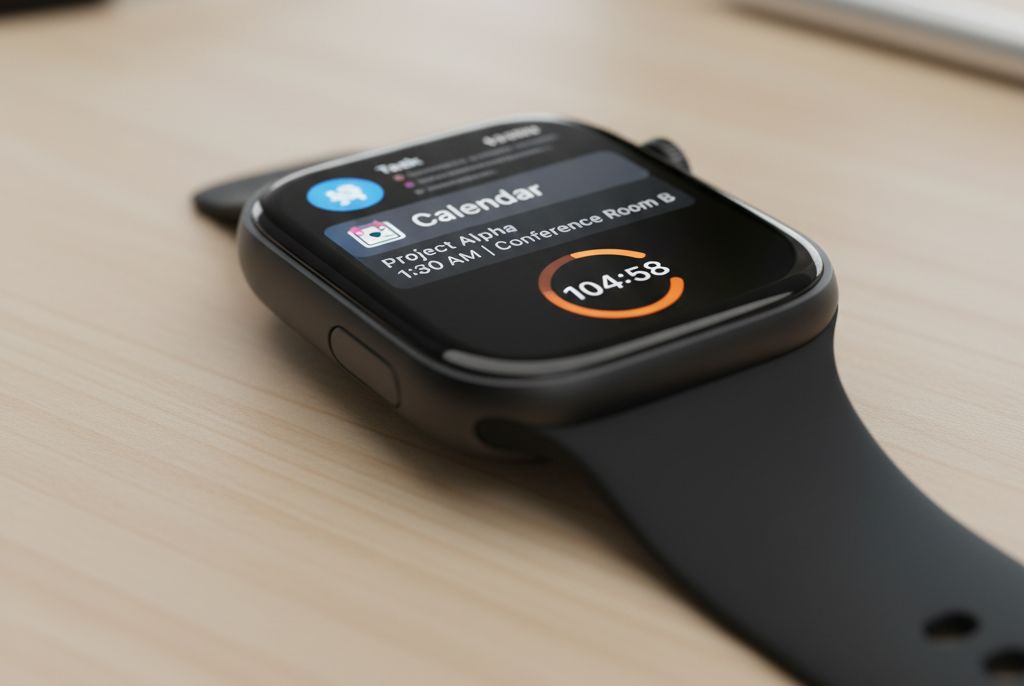
Use Smart Stack widgets. The Smart Stack shows context-aware widgets and Live Activities, with subtle taps when it has a timely suggestion. Put your task, calendar, timer, and habit widgets at the top. You will see what matters with a single scroll of the Digital Crown. A
Lean on Live Activities. Timers and focus sessions can appear in the Smart Stack as Live Activities, so you can monitor progress without hunting for an app.
Tune notifications. Keep only direct messages, event alerts, and your task app. Silence the rest. Let the Watch pull you only when it is time-sensitive.
Use Double Tap for speed. With supported models, Double Tap to start or pause focus timers, check off a habit, or open the top Smart Stack widget. Apple’s developer notes show how apps hook into these controls.
Simple loadouts by role
- Students: Todoist, Fantastical, Focus, Drafts.
- Managers: Things 3, Fantastical, Streaks, Focus.
- Creators: Things 3, Drafts, Focus, Streaks.
- Freelancers: Todoist, Fantastical, Focus, AutoSleep.
Pick the closest set and remove everything else.
Mini-reviews
Todoist. Fast add, natural language, labels and filters, cross-platform. Strong complication support on Watch for next task. Official listing notes tens of millions of users.
Things 3. Apple-only polish, great Today view, fast rescheduling. The Watch app is focused on Today and check off.
Fantastical. Parse “Lunch with Priya at 1 pm Tue,” get the event. See next meeting on the face. Works well with Apple Maps travel time. Editors still rank it high.
Focus. Simple Pomodoro style with stats. Live Activity keeps you honest. Appears in new 2025 roundups.
Streaks. Chains are addictive. One tap to complete on Watch. Widgets keep goals visible. Drafts. Dictate now, sort later. Best for fleeting ideas. 2025 lists still endorse it for speed. AutoSleep. Clear readiness indicator. If your score drops, shorten your task list.
Setup tips that save time
- Keep one app per job. Do not run two task apps.
- Put core apps in the Dock for fast swipe access.
- Add complications for next event, next task, and focus timer.
- Build a “Work” Focus mode on iPhone to filter alerts to the Watch.
- Review your Smart Stack weekly and reorder the top four. Apple Support
Quick table: choose your mix
| Job | App | Why |
| Tasks | Todoist or Things 3 | Fast add, clear Today view |
| Calendar | Fantastical | Best natural language, clean Watch view |
| Focus | Focus | Timer with Live Activity on Watch |
| Habits | Streaks | One-tap completion, motivating chains |
| Capture | Drafts | Raise wrist, dictate, done |
Why it matters
The Apple Watch is a focus tool when you strip it down. A small set of apps, tuned widgets, and tight notifications can reduce phone time and keep you moving. The result is fewer decisions and more done with less friction.
Sources:
- TechCrunch, Best Apple Watch apps for boosting your productivity, https://techcrunch.com/2025/09/19/best-apple-watch-apps-for-boosting-your-productivity/, 2025-09-19
- Apple Support, See timely widgets in the Smart Stack on Apple Watch, https://support.apple.com/guide/watch/see-widgets-in-the-smart-stack-apdecf142fb9/watchos, 2025-09-20
- Apple Support, What’s new in Apple Watch and watchOS 26, https://support.apple.com/guide/watch/whats-new-apdb93ea3872/watchos, 2025-09-20
- Wareable, Best Apple Watch apps 2025: Our editors’ picks, https://www.wareable.com/apple/best-apple-watch-apps-832, 2025-06-24
- Apple App Store, Todoist: To Do List & Calendar, https://apps.apple.com/us/app/todoist-to-do-list-calendar/id572688855, 2025-09-20
- Yahoo (syndicated), Best Apple Watch apps for boosting your productivity, https://finance.yahoo.com/news/best-apple-watch-apps-boosting-192231284.html, 2025-09-19